Code Member List
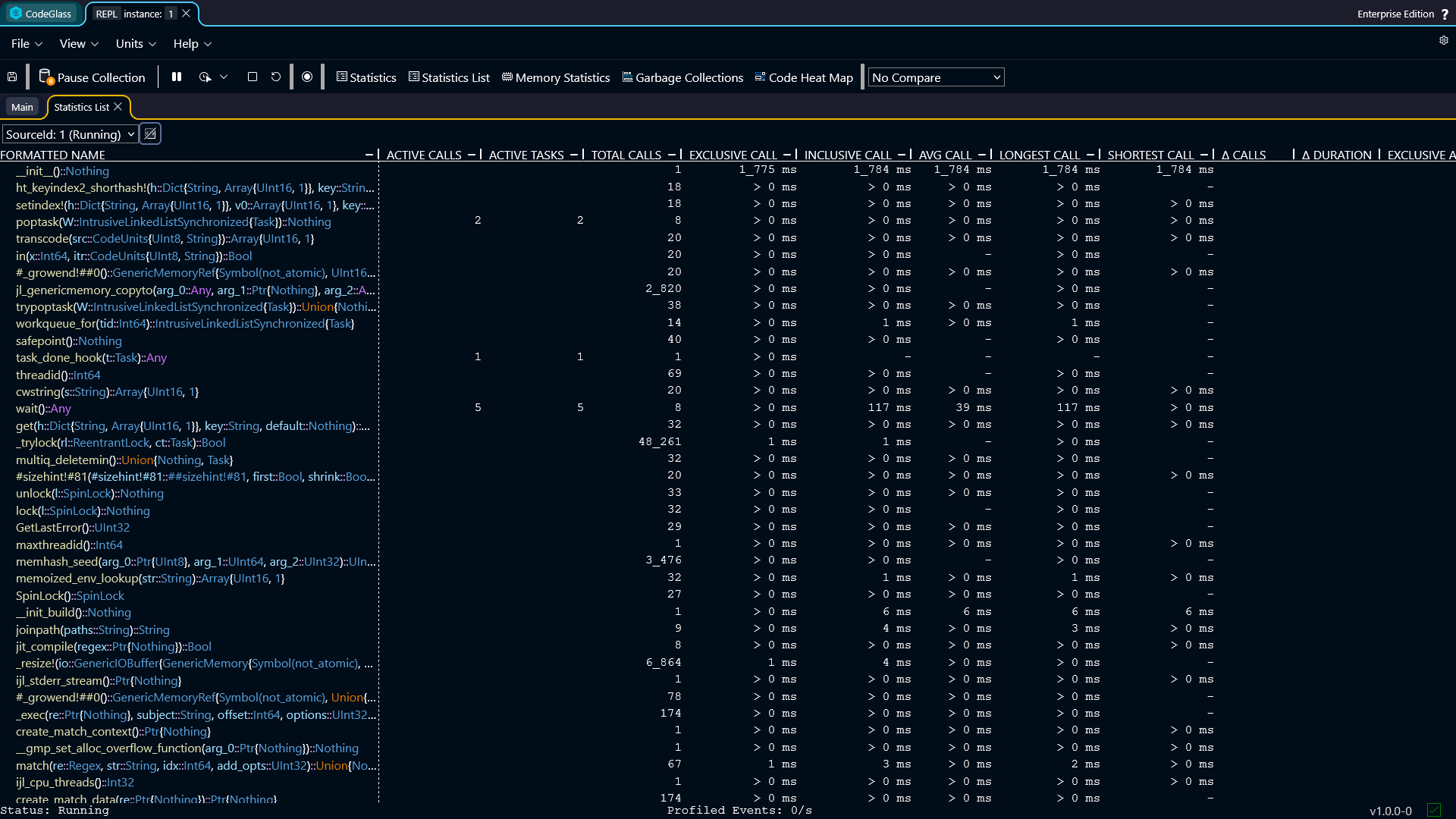
The code member list view shows general statistics for all code members that were called during the run of your application.
Code members are shown in a long list without any grouping.
Double-clicking a code member opens the code member view for that code member.
You can also click on any column in the table to sort the data by that statistic.
Toolbar
Above the table there is a toolbar with several options:
- Data Source: select which data source the statistics should use.
- Show/Hide uncalled code members: Clicking this switches between all the registered code members and all the code members that have been executed in the selected data source.
Types of Statistics
The code member list contains several columns with statistics about the code members within the application.
- Active Calls: The number of active calls at this very moment.
- Active Tasks: The number of active tasks at this very moment.
- Total Calls: The total number of calls that happened in the selected data source.
- Exclusive Call: The call duration of this code member, excluding the time of the code members that get called inside of this code member.
- Inclusive Call: The call duration of this code member, including the time of the code members that get called inside of this code member.
- Average Call: The average call duration of this code member.
- Longest Call: The longest time a code member took to execute.
- Shortest Call: The shortest time a code member took to execute.
- Δ Calls: The amount of calls in the last second.
- Δ Duration: The sum of all call duration in the last second.
- Exclusive Allocations: The amount of allocations inside of this code member, excluding the allocations of the code members that get called inside of this code member.
- Exclusive Deallocations: The amount of deallocations inside of this code member, excluding the allocations of the code members that get called inside of this code member.
- Δ Allocations: The difference in exclusive allocated and deallocated objects.
- Exclusive Allocated Bytes: The amount of allocated bytes inside of this code member, excluding the allocated bytes of the code members that get called inside of this code member.
- Exclusive Deallocated Bytes: The amount of deallocated bytes inside of this code member, excluding the allocated bytes of the code members that get called inside of this code member.
- Δ Allocated Bytes: The difference in exclusive allocated and deallocated bytes.
- Inclusive Allocations: The amount of allocations inside of this code member, and all other code members inside.
- Inclusive Allocated Bytes: The amount of allocated bytes inside of this code member, and all other code members inside.
info
If memory profiling is turned off, the columns with memory statistics will not be shown.